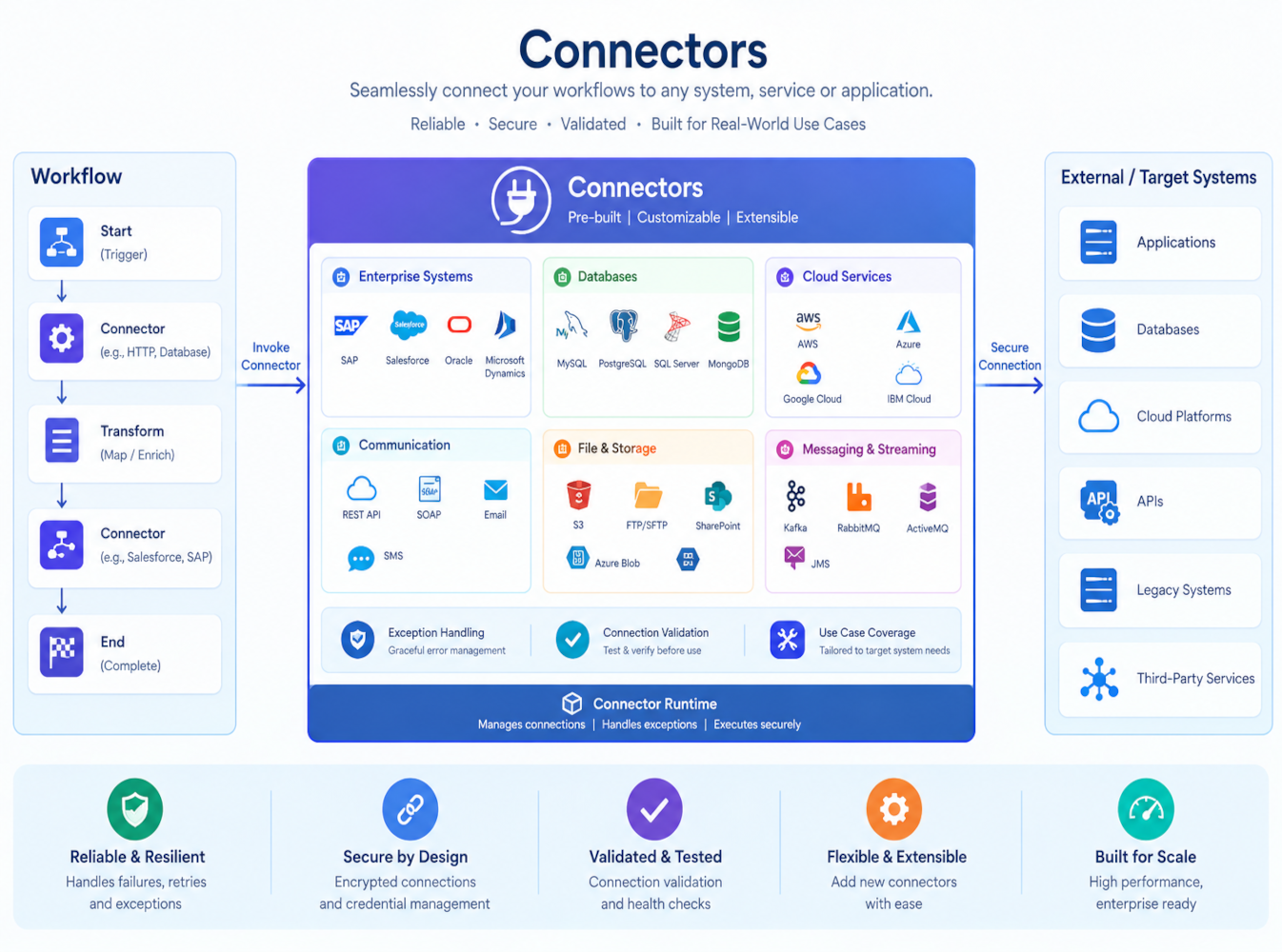
Connectors are plugins that call a vendor system from inside a workflow. Each connector is versioned, and every workflow stays pinned to the version it was built with, so an update never changes a saved flow.
[ Capabilities ]
Browse every connector from the designer, and search by name when you build a flow.
Install connector plugins, see their history, and roll back to an earlier version when needed.
Each connector step is pinned to its version, so new releases do not change flows that already run.
Choose the connection, parameters, output and limits for each step, separately from the rest of the flow.
If a later step fails after a write succeeded, the run is marked partially completed so you can compensate for it.
Install, pin and review connector plugins from one place in the administration area.
[ How it works ]
Add the connector plugin from the catalogue.
Choose the version the workflow will use.
Create the connection with the system's credentials.
Add a connector activity to a workflow.
Check runs and handle partial completions.
[ Explore ]